

Ask Gram AI in a document
In this chapter: ask the AI about a document while it is open. There is nothing to connect.
Gram AI and a connected AI are different
Section titled “Gram AI and a connected AI are different”There are two ways to meet an AI in Thegram.
| Gram AI | A connected AI | |
|---|---|---|
| Where it is | The Chat tab on the right of a Thegram document | Your own AI, such as ChatGPT, Claude or Claude Code |
| What it reads | Only the document you have open | The storages you gave it permission for |
| What you prepare | Nothing | A connection and permissions |
| Use it to | Summarize a long document, find the decisions in it, tighten a sentence | Ask across many documents, record a conversation |
For questions across documents, see Ask your connected AI.
- Open a document.
- Select the Chat tab in the right panel. If the panel is closed, select the panel icon at the top right.
- Type a question in the field at the bottom and send it. At first you can select one of the suggested questions.
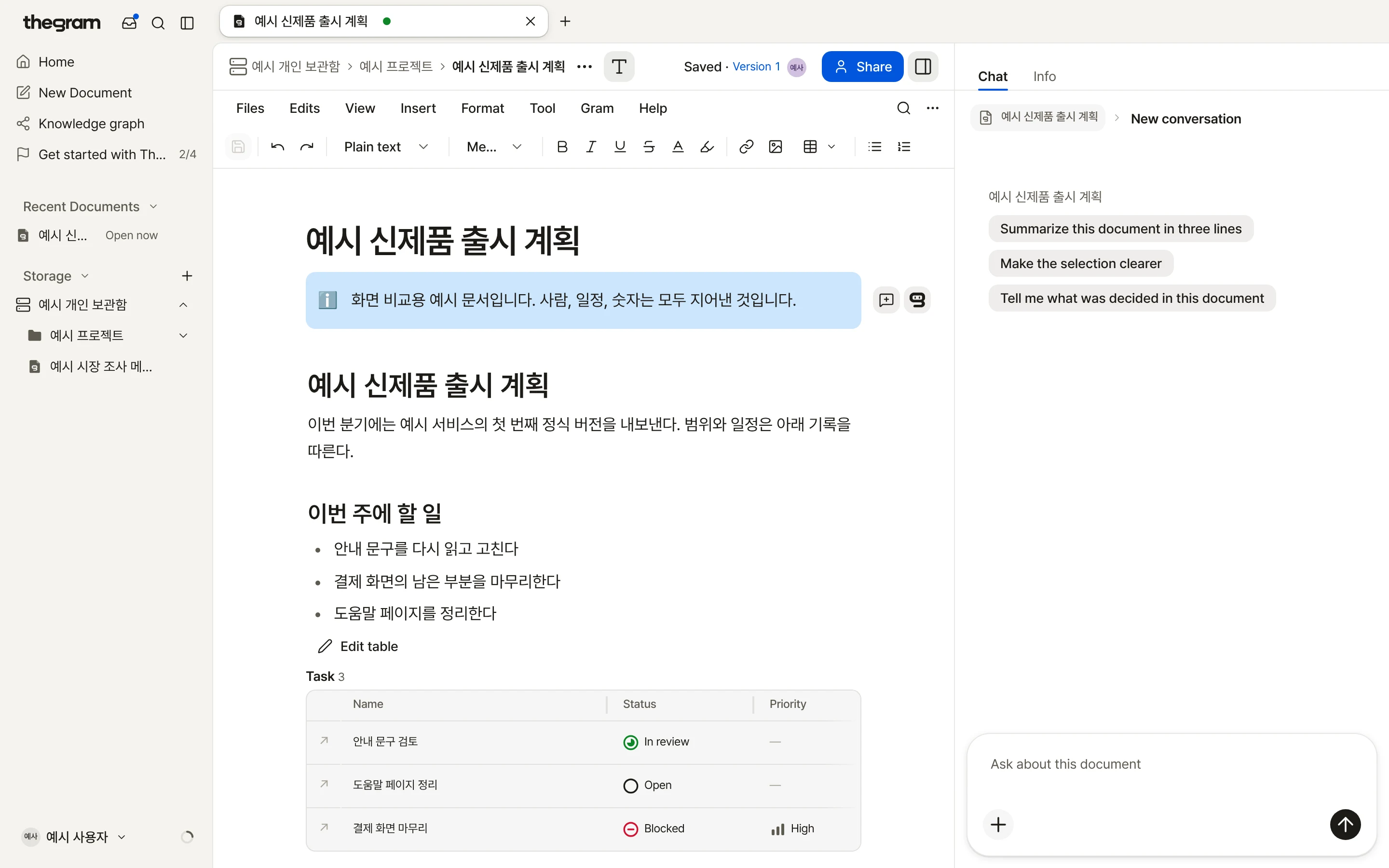
The three suggested questions are:
- Summarize this document in three lines
- Make the selection clearer
- Tell me what was decided in this document
Use + in the input field to attach a picture or a text file to your question.
Ask inside the body
Section titled “Ask inside the body”- Press
/on an empty line of the body and choose Gram AI at the top to ask right inside the document. - Select some text first and the answer is about that selection.
- In a comment reply, you can also call it with
@Gram.
Good to know
Section titled “Good to know”- Gram AI reads only this document. Ask as if it knows nothing about your other documents.
- Asking Gram AI counts against this week's AI limit. See what is left in Settings › Plan and usage. Plan and usage
- An AI's answer can be wrong. Check numbers and decisions against the body.
If you are stuck
Section titled “If you are stuck”- You see "This week's AI limit was reached, so there was no answer". Wait for the limit to reset, or buy extra usage in Settings › Plan and usage.
- There is no Chat tab. The right panel is closed. Select the panel icon at the top right.
- It can't answer in an organization document. When that storage's AI access is off, Gram AI cannot read the storage either. An organization owner or admin can turn it on.
Next chapter: Ask your connected AI
Something different from this guide? Report a docs issue · Troubleshooting
Review and send the email yourself. Do not include API keys or private document content.