

Thegram overview
Turn company knowledge into ground AI can work on.
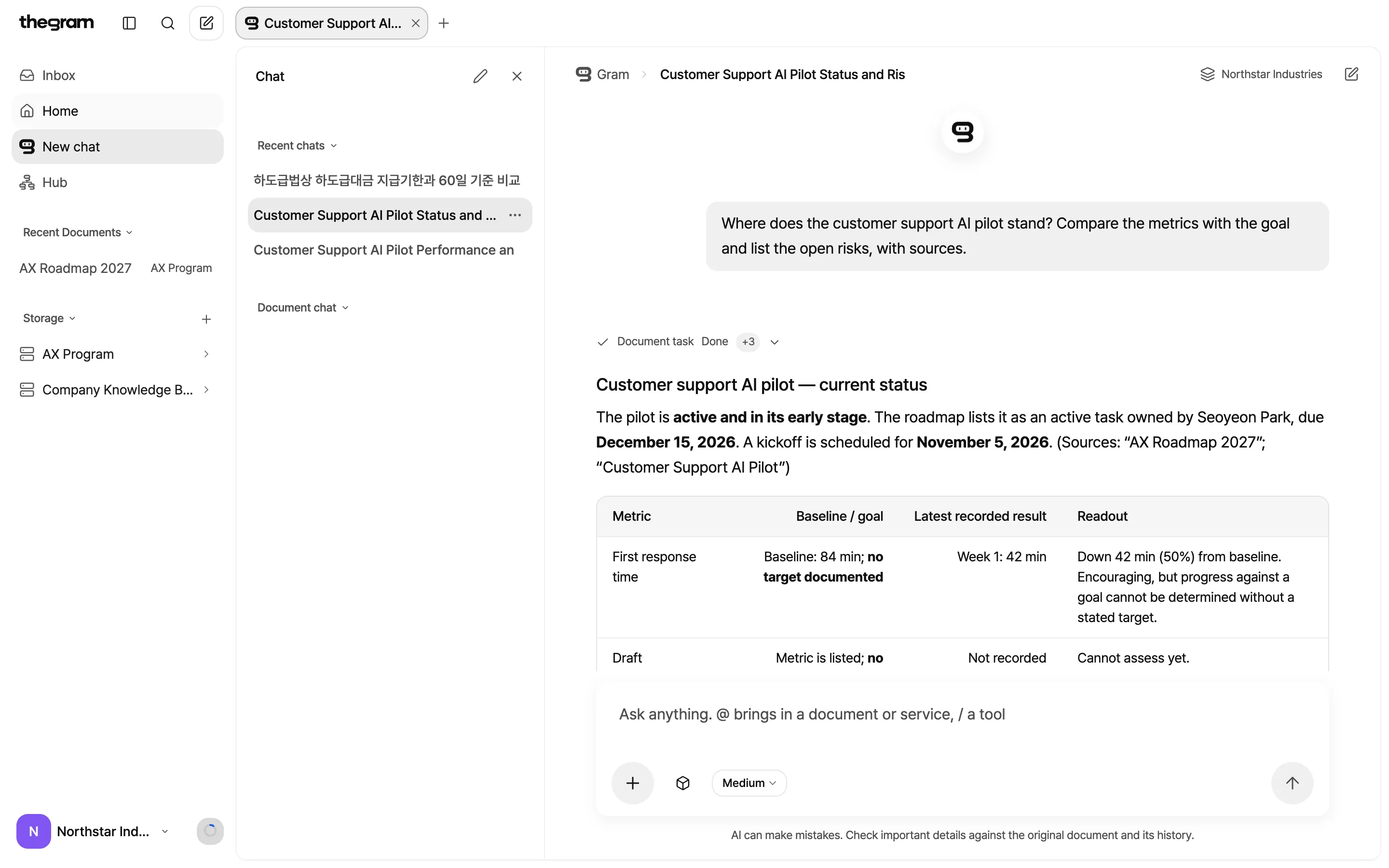
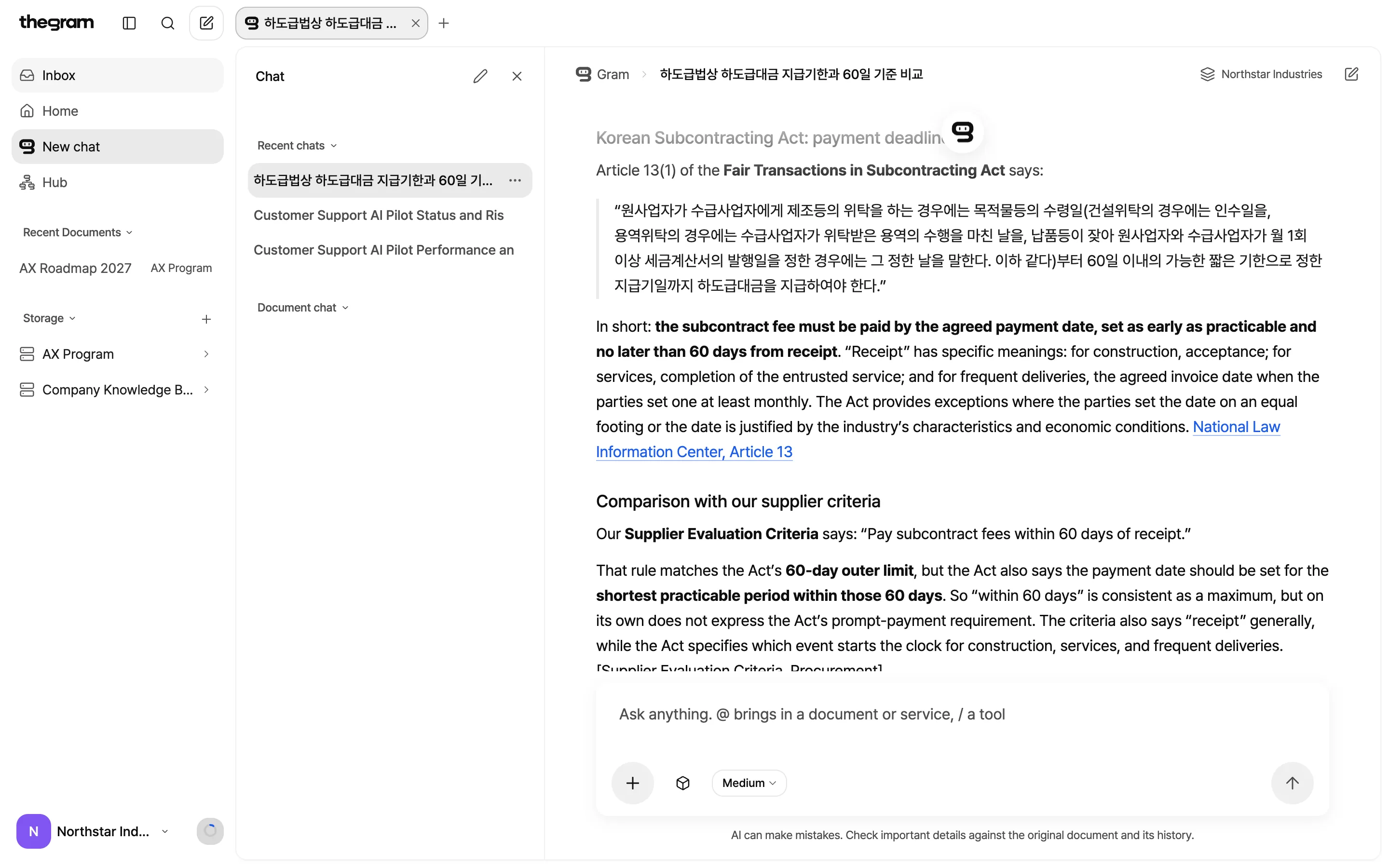
Thegram is the knowledge base for enterprise AI transformation (AX). Documents and decisions become linked records of goals, decisions, requirements, evidence and sources. Thegram AI, ChatGPT and Claude read the same record, answer with sources, and every change is kept as history.
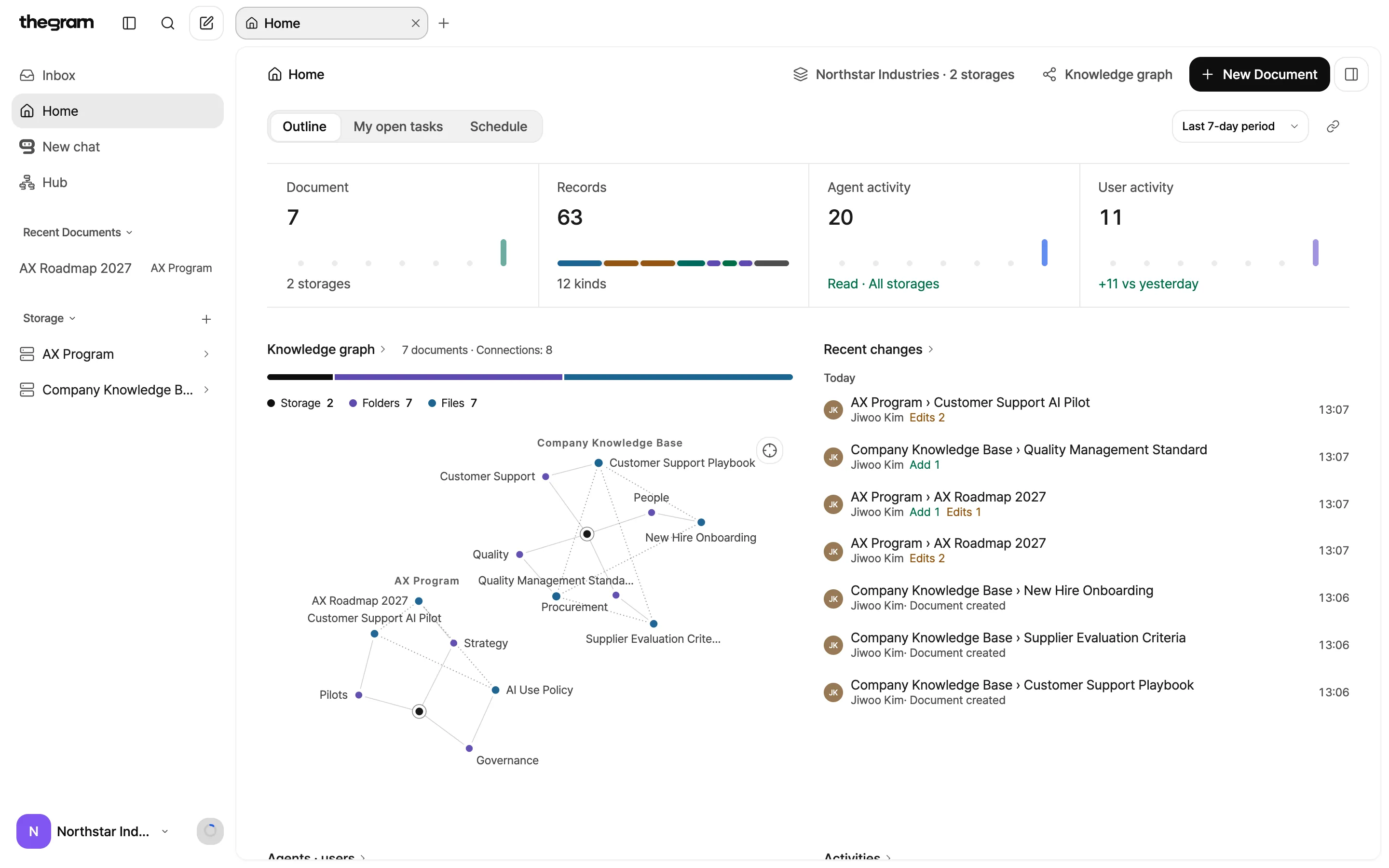
What Thegram does
Section titled “What Thegram does”Run the AX program
Section titled “Run the AX program”Goals carry owners and due dates, decisions carry their reasons, and risks carry a status. Whether a person or an authorized AI makes the change, the same record moves, and every revision keeps its author and time. Follow Run an AX program step by step, and see records and history.
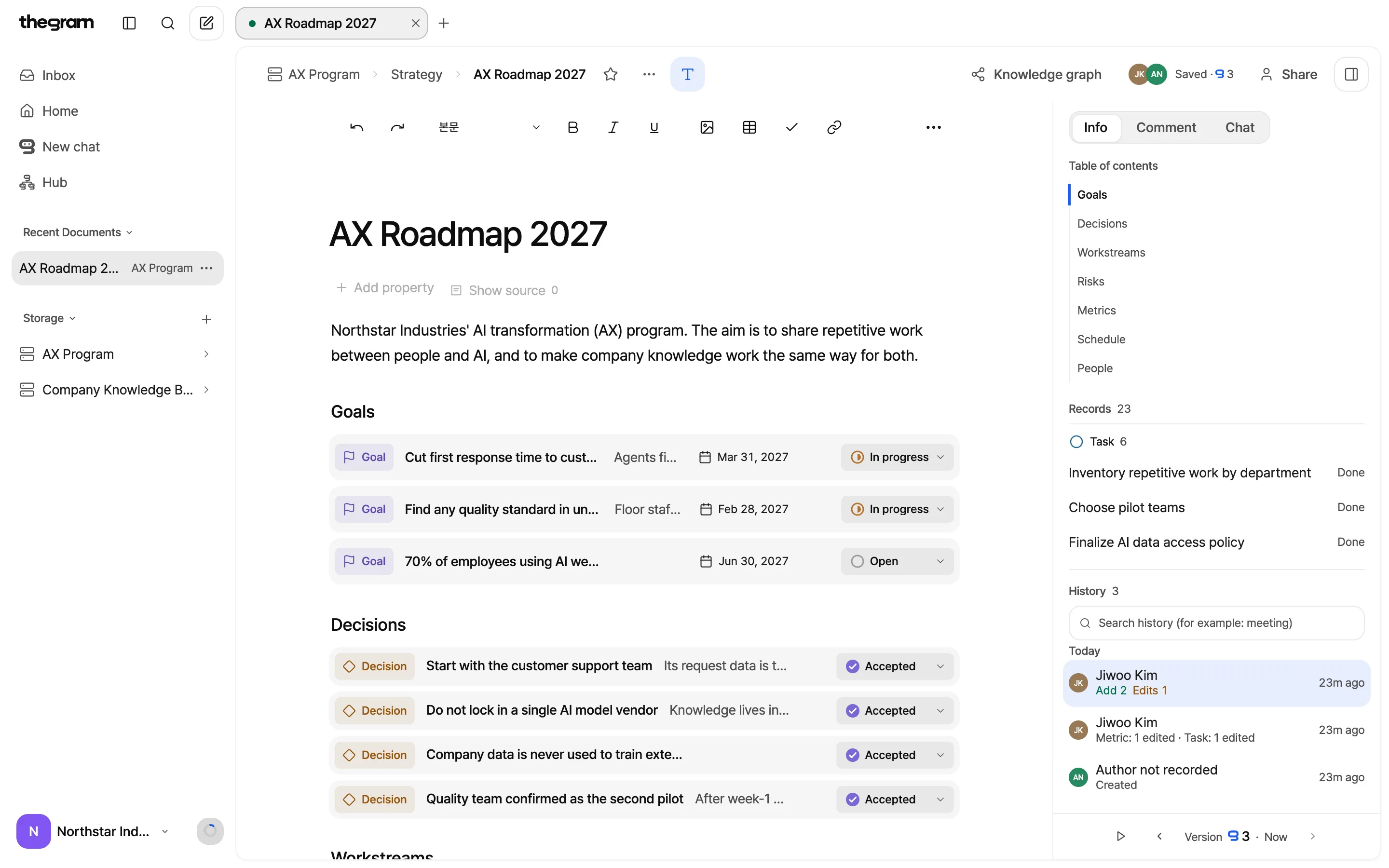
Keep a logical knowledge base
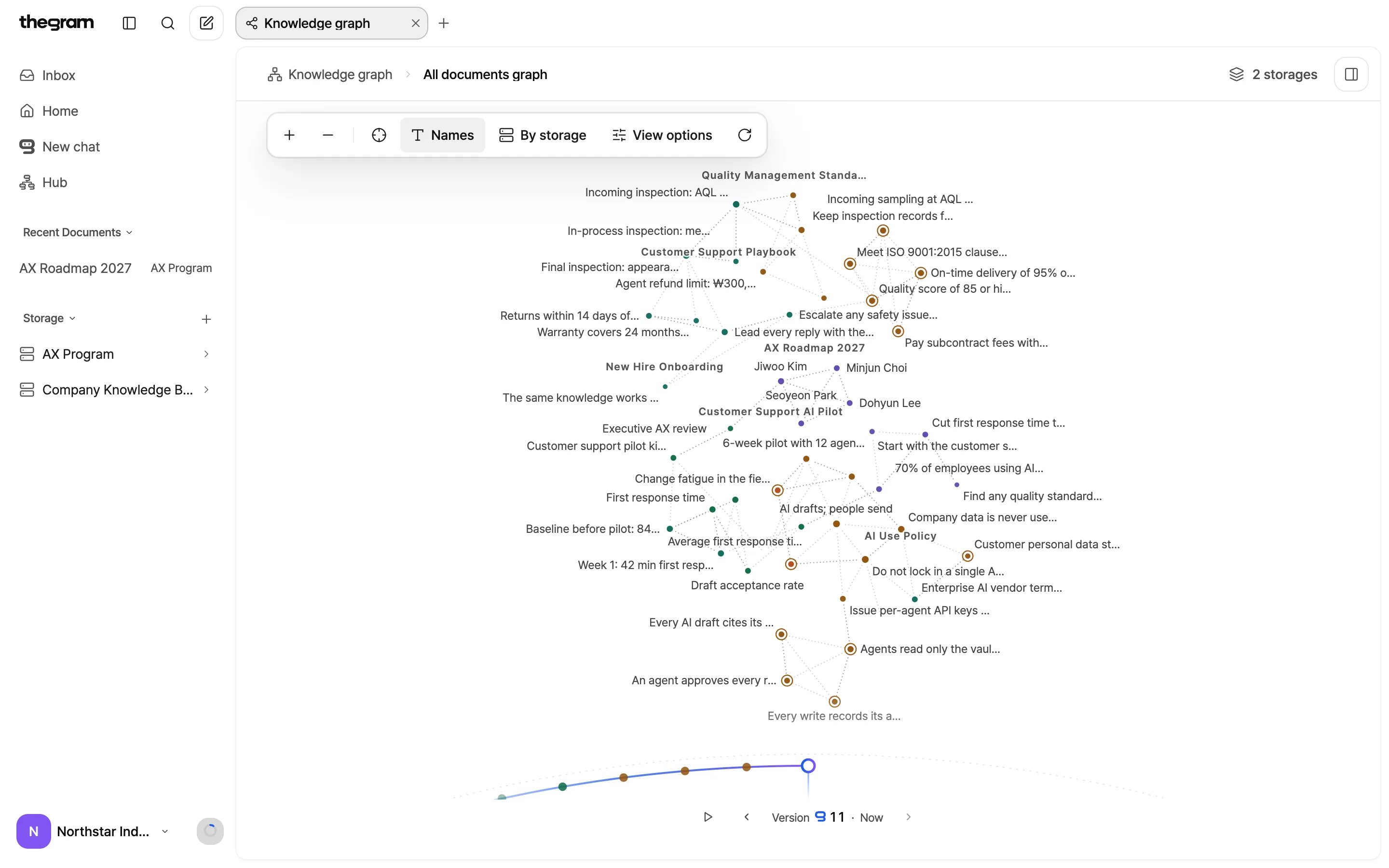
Section titled “Keep a logical knowledge base”A .gram document holds typed records—knowledge, decisions, requirements, evidence, sources—linked by relations such as supports, depends on, blocks and replaces. The knowledge graph shows the links across documents and vaults, and Thegram AI answers from those records with the documents it used. See relations and workflows.
Bring in hubs
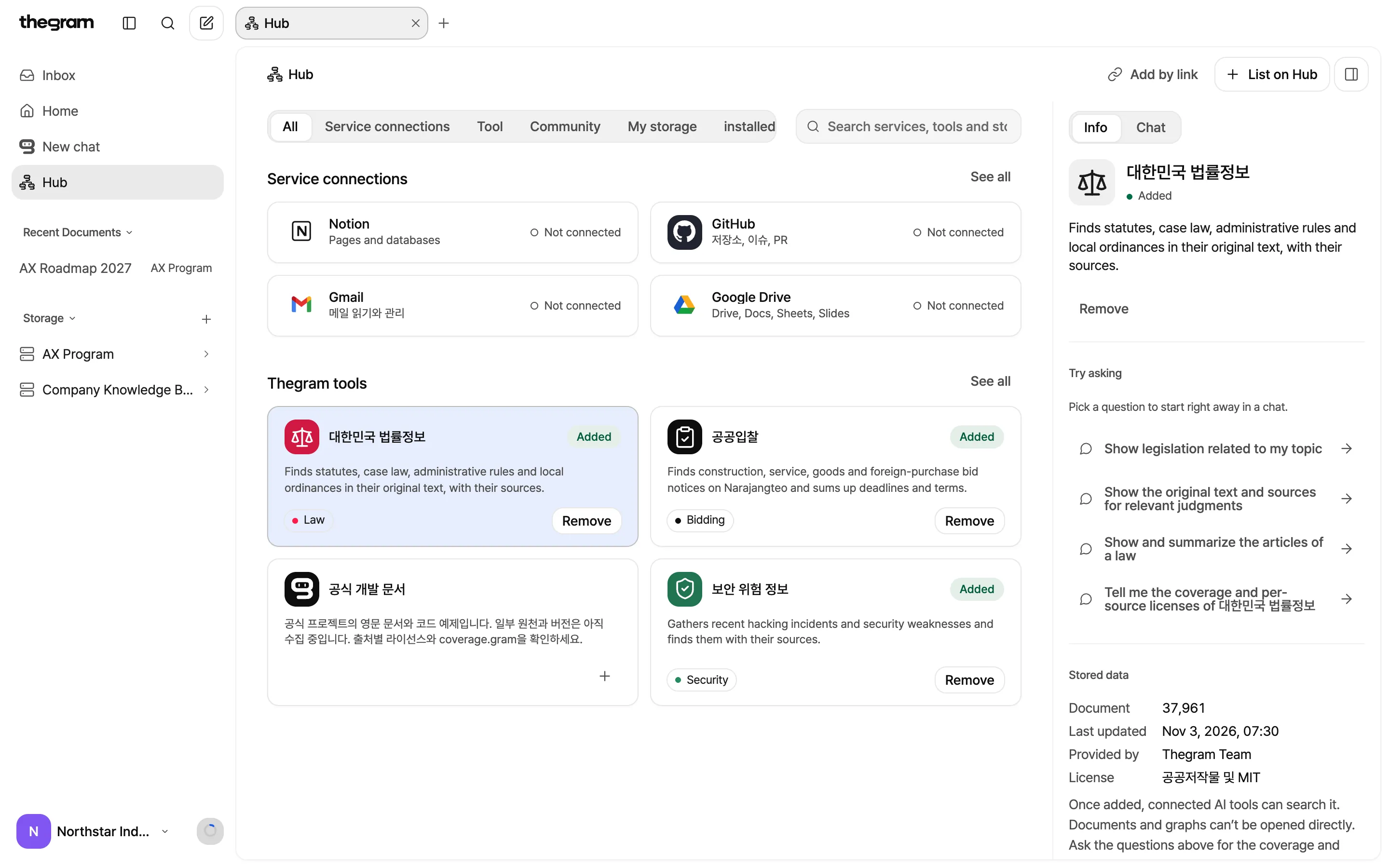
Section titled “Bring in hubs”Add a tool from GramHub—Korean law, public bids, security risks, developer docs, apartment transactions and more—and AI can look up the original data next to your own documents. Connected services such as Notion, GitHub, Gmail and Google Drive work only after you authorize them. The GramHub guide lists every tool with its scope and licence. Hub data helps you find and read original sources; it is not legal advice.
Start with your AI
Section titled “Start with your AI” ChatGPTInstall Thegram and connect with OAuth →
 ClaudeConnect from the Claude Directory with OAuth →
Coding agentsClaude Code · Codex · OpenCode · OMP →
Using Grok? Follow the Grok OAuth guide. A desktop process is not required for Cloud connections. 한국어 문서.
Connect the services your work lives in
Section titled “Connect the services your work lives in”




Read the service connector guide for all 14 catalogue entries, account setup, provider permissions, native-app restrictions and recovery. Connecting a service does not automatically import its documents or authorize external changes.
Use the web and native apps
Section titled “Use the web and native apps”Explore Thegram apps for newly captured macOS, iPhone and iPad screens and the right route for each task. The same document can be read through an app or an authorized AI; local-only files and Cloud permissions remain different boundaries.
Make the next session useful
Section titled “Make the next session useful”- Find a decision and its evidence
Retrieve the reason, not just an answer detached from its source. - Hand work to another agent
Continue the project without copying private context into unrelated destinations. - Review a correction and its history
Distinguish today’s decision from what was true before. - Inspect a real history example
Follow a published fixture, not a customer’s private workspace.
Build with the exact contract
Section titled “Build with the exact contract”MCP tools · .gram syntax · Records · Relations · History · Errors.
Sources and availability
Section titled “Sources and availability”Permissions · Troubleshooting · Availability and sources · Research · Preserved source captures · Evidence.
Historical instructions
Section titled “Historical instructions”Retired setup paths and previous revisions remain in the archive. They keep their original URLs and source bytes but do not compete with current setup in search.
Something different from this guide? Report a docs issue · Troubleshooting
Review and send the email yourself. Do not include API keys or private document content.