

Run an AX program
An AI transformation (AX) program works when people and AI read and update the same facts. In Thegram that means an organization with vaults, documents whose goals, decisions, risks and metrics are typed records, AI access you set per vault, and a home that shows what changed. The screens below come from a demo organization, Northstar Industries, with fictional data.
1. Create an organization and vaults
Section titled “1. Create an organization and vaults”Open the account menu at the bottom of the sidebar, select your space and choose New Organization. In the organization’s Storage settings, create the vaults the pilot needs—for example, an AX program vault and a company knowledge base. For each vault choose whether the whole organization can enter and the default role members get.
Start with one team. Put its rules, decisions and working knowledge into a vault: write in the editor, upload files, or ask Thegram AI to organize what you give it into records.
2. Keep the program as records
Section titled “2. Keep the program as records”Write the program as a document with typed records instead of a slide deck: goals with owners and due dates, tasks with status, decisions with their reasons, risks with priority and status, metrics with value, unit and observation date, events and people. Link them with relations such as supports, depends on and blocks. See records and fields and relations.
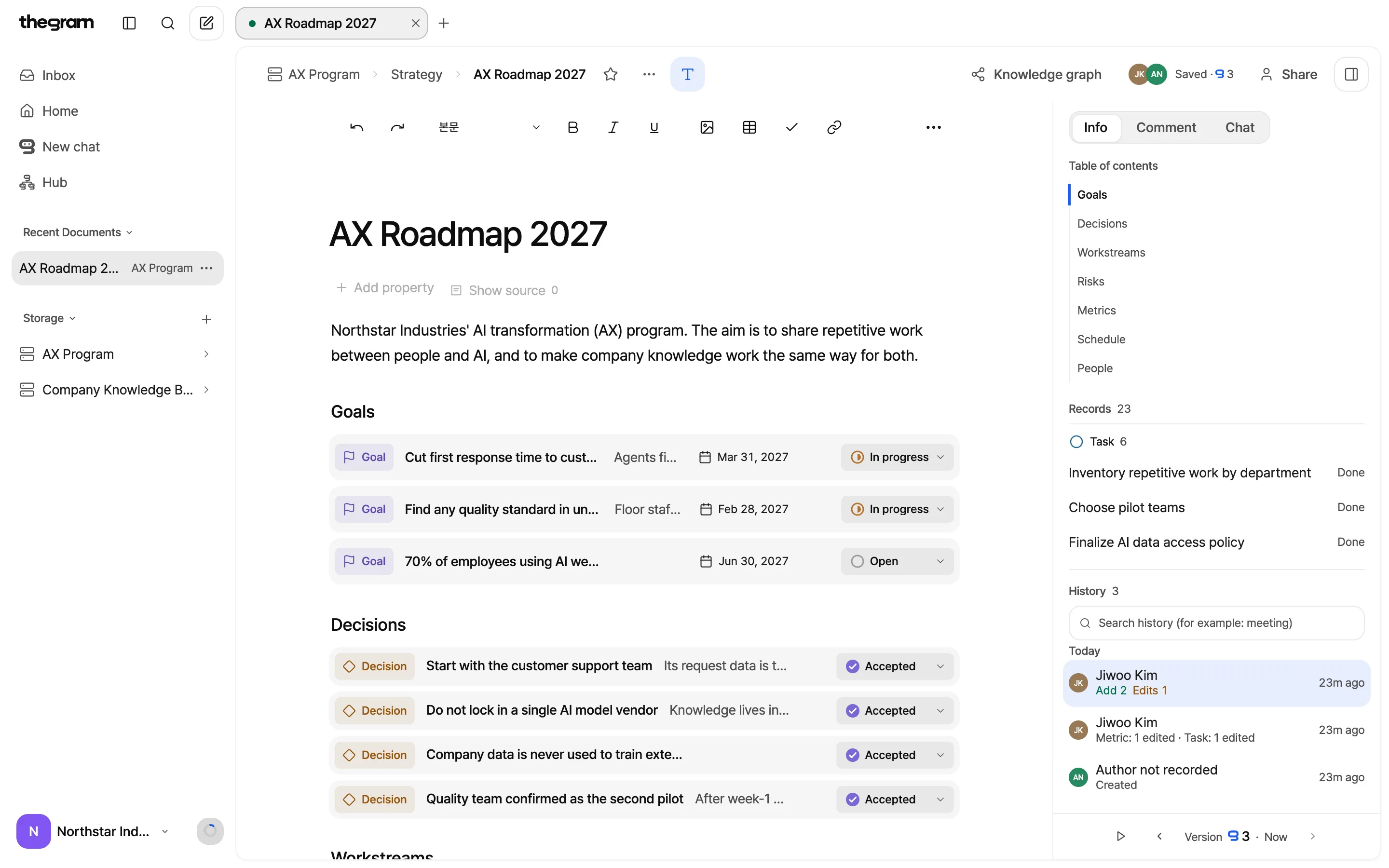
Every write—by a person or an authorized AI—is a new revision with its author and time, so a superseded decision or a mitigated risk keeps its earlier state.
3. Give AI scoped access
Section titled “3. Give AI scoped access”New organization vaults start with agent access off. Before Thegram AI or another AI can use them, an organization admin sets two things:
- Settings → AI permissions → Highest Access for Members’ Agents: none, read, edit or all. This is the ceiling for every member’s agent in the organization.
- The agent switch on each vault in the organization’s Storage settings. When it is off, no agent can access that vault.
If the message box in New chat cannot be used in an organization, check these two settings first.
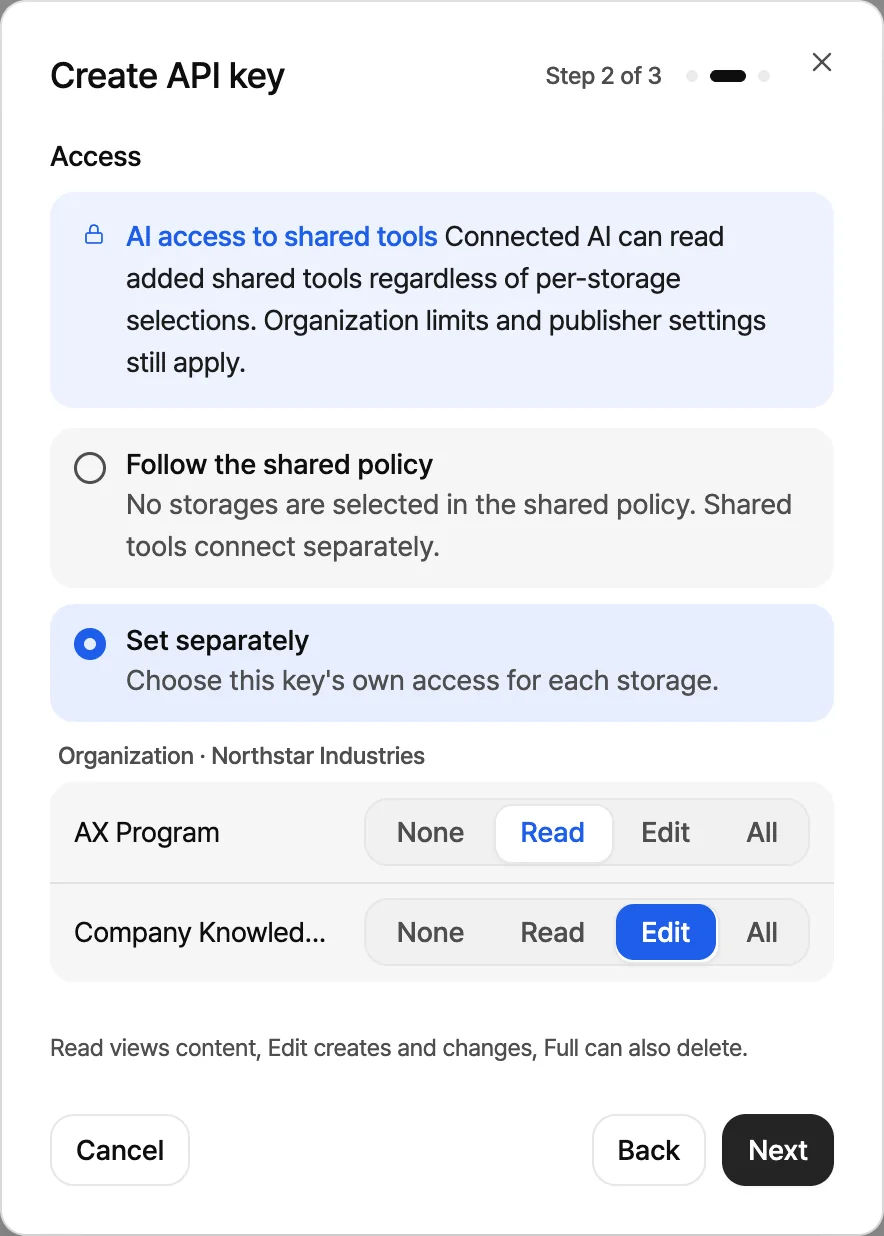
For a coding agent or another service, create an API key and choose Set separately to give it access per vault. See Your permissions.
4. Follow progress from the home
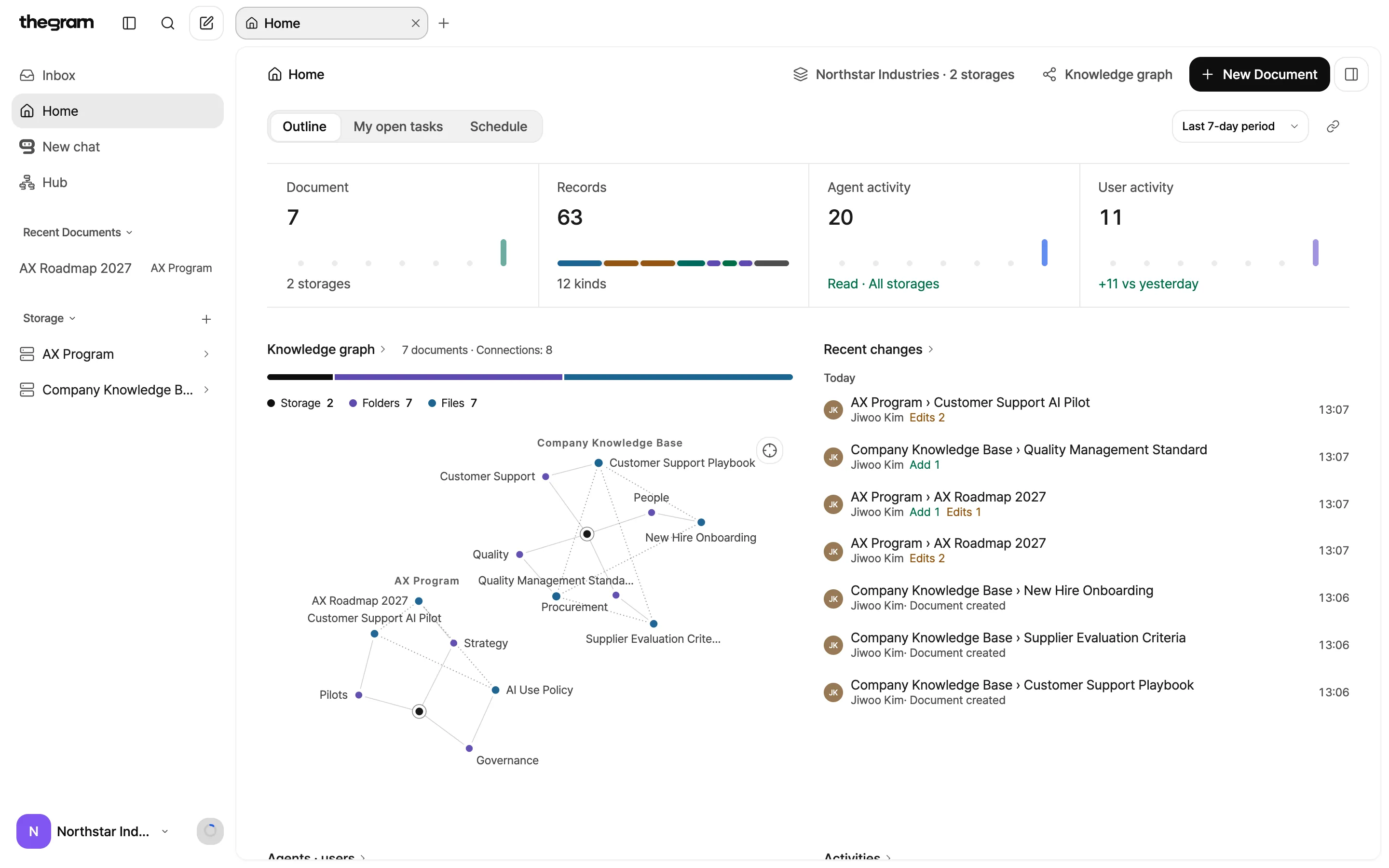
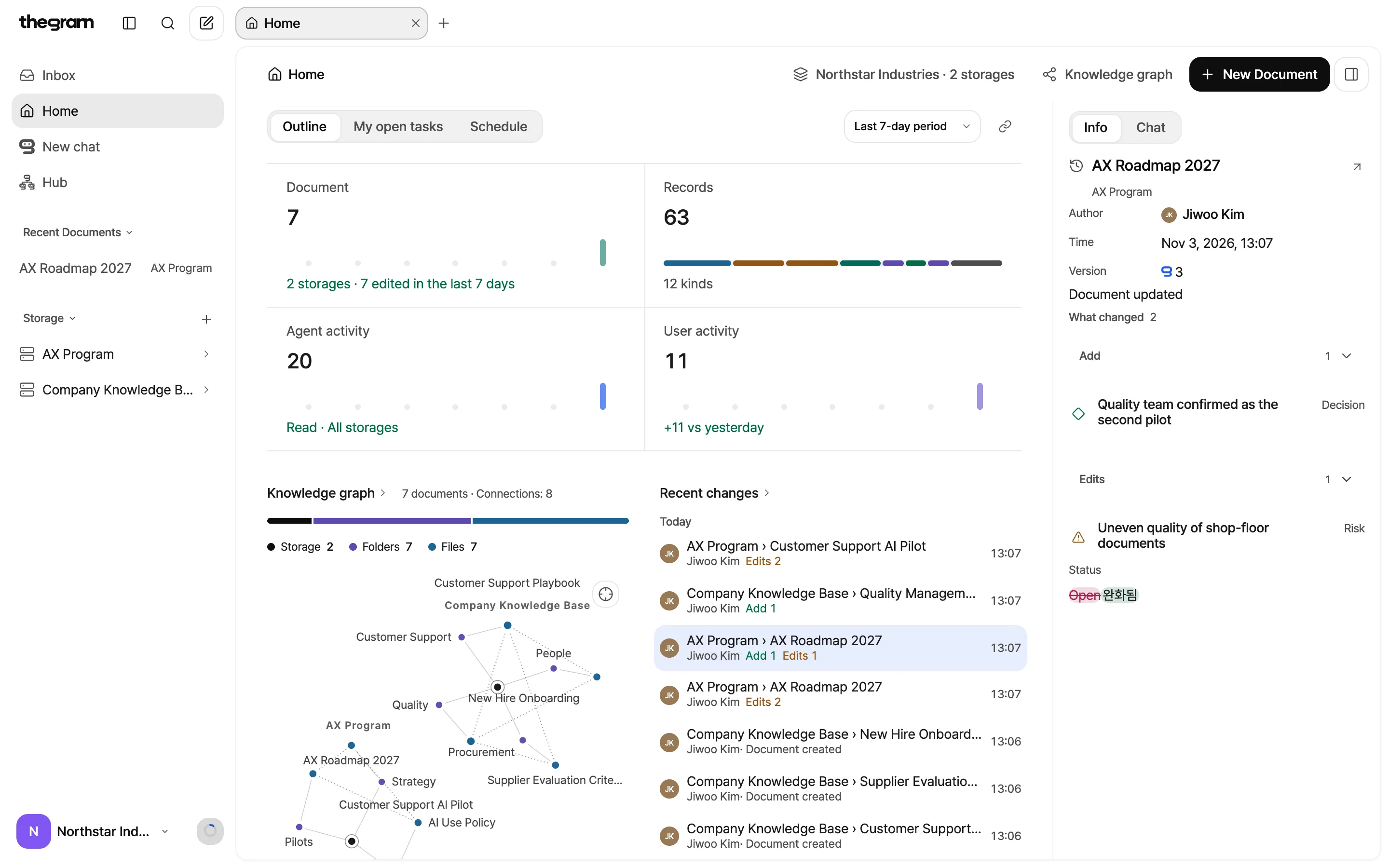
Section titled “4. Follow progress from the home”Home rolls up the selected scope: documents, records by kind, agent and user activity, a knowledge graph and recent changes. The My open tasks and Schedule tabs show work and dates across vaults. Select a change to see what was added and what moved.
5. Ask, measure and expand
Section titled “5. Ask, measure and expand”Ask Thegram AI how the program is going. It answers from the records the space allows and lists the documents it used; add a GramHub tool when the question needs outside data such as law or public bids.
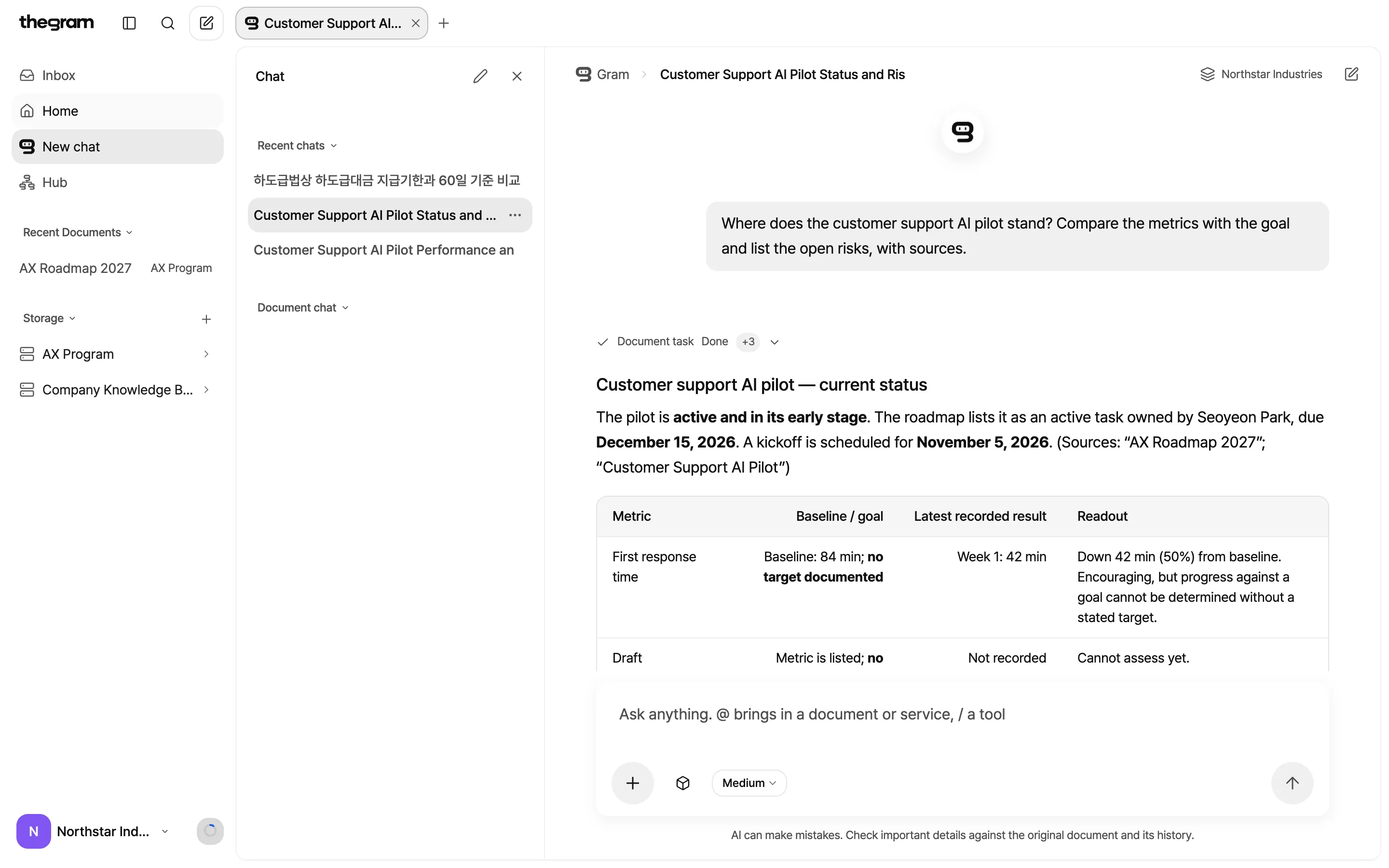
AI answers can be wrong. Check important figures against the record and its history before you report them. When the pilot’s metrics and change history show the effect, add the next team’s vault and repeat.
Sources for this guide
Something different from this guide? Report a docs issue · Troubleshooting
Review and send the email yourself. Do not include API keys or private document content.