

Create an organization and invite members
In this chapter: create your team's organization and invite teammates. With an organization you do not invite people again for each storage.
What an organization is
Section titled “What an organization is”An organization is a space a team shares. Storages in your personal space are yours; storages in an organization belong to the organization.
- Members use organization storages as far as each storage's default access allows.
- When someone leaves the organization, the documents in organization storages stay with the organization.
- Organization owners and admins set the AI policy in one place.
You need the Pro plan to create or join an organization and to read and write what is in it. You can stay a member of an organization you were invited to. Plan and usage
Create an organization
Section titled “Create an organization”- Select your name at the bottom left, then the space name at the top of the menu.
- Select New Organization and enter its name.
Whoever creates it becomes the Organization owner.
Invite members
Section titled “Invite members”- Open Settings, select the arrow next to the space name on the left and choose the organization.
- Select Organization, then Send invitation.
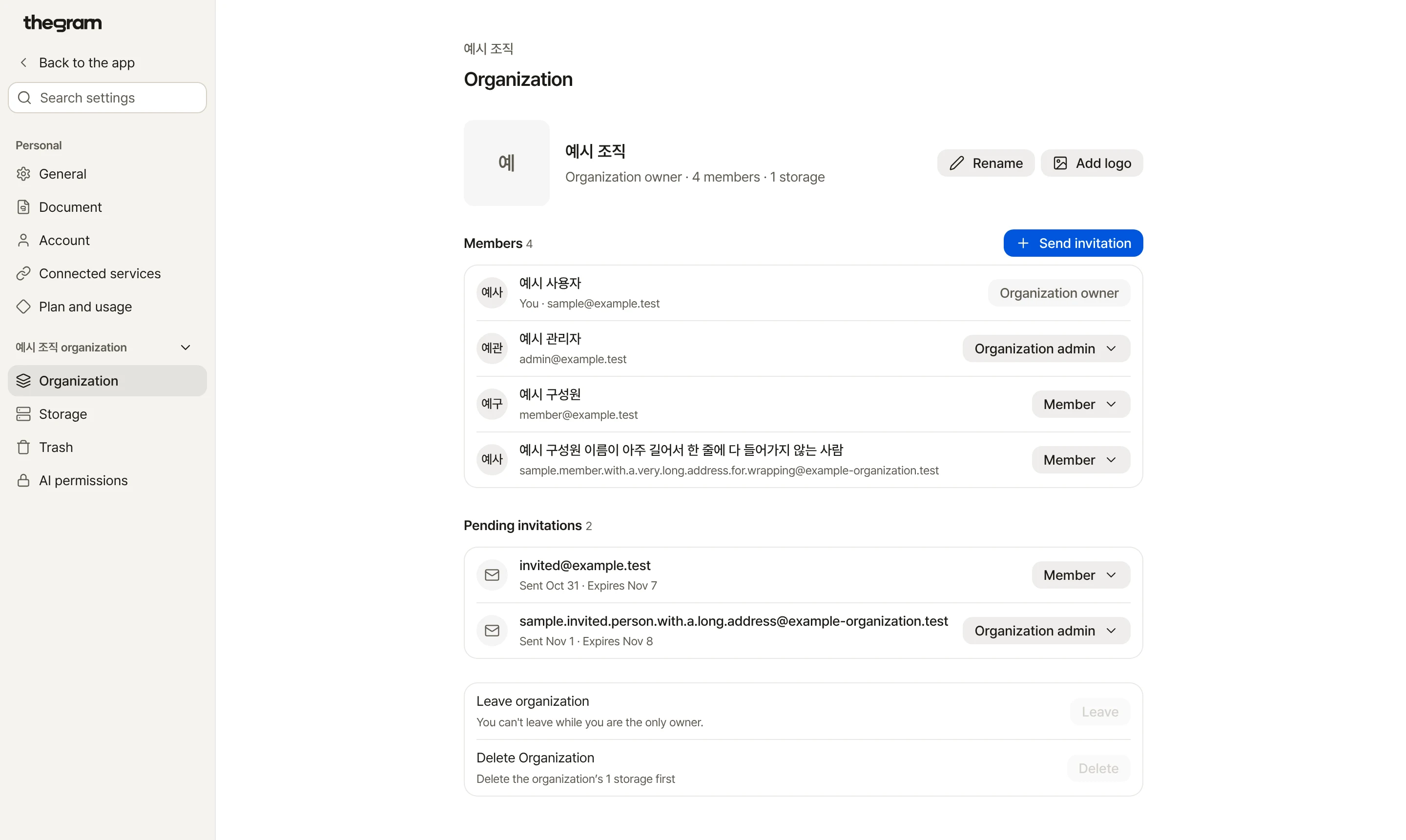
- Enter an email and choose Member or Organization admin.
- Select Send invitation.
The invitation appears under Pending invitations with its expiry date. When the person accepts, they move to Members.
Organization roles
Section titled “Organization roles”| Role | Can do |
|---|---|
| Organization owner | Everything, including deleting the organization |
| Organization admin | Add and remove members, change the organization's name, logo and policy, and create organization storages |
| Member | Use organization storages as far as each storage's default access allows |
An organization role is separate from the role set on each storage (Editor, Viewer). A member can be an Editor in one storage and a Viewer in another.
Set access to an organization storage
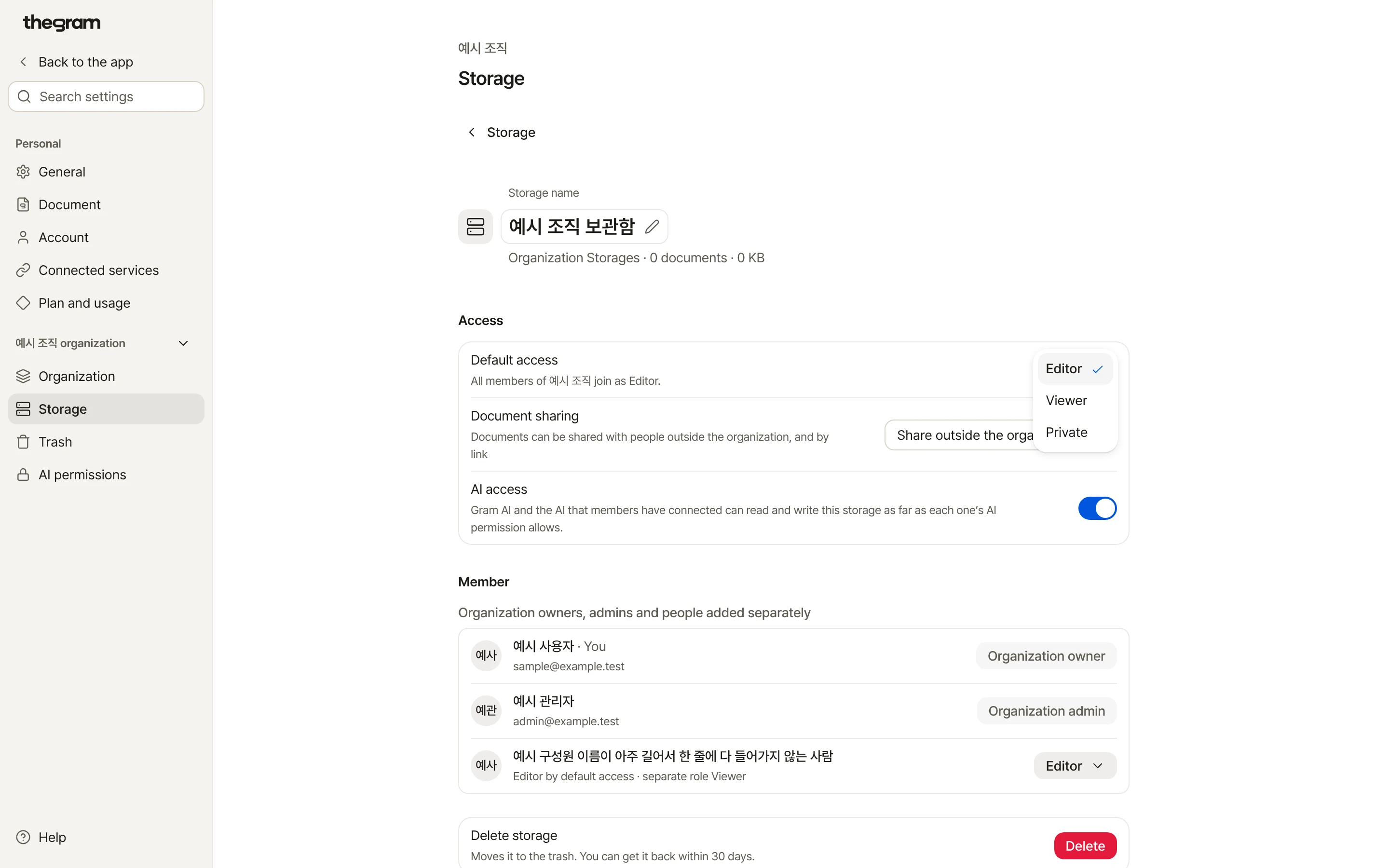
Section titled “Set access to an organization storage”Organization owners and admins create organization storages. Afterwards, select the storage under Settings › Storage to set three things.
| Setting | Values | Meaning |
|---|---|---|
| Default access | Editor, Viewer, Private | The role every organization member has in this storage. With Private, only organization owners, admins and people added separately get in |
| Document sharing | Share outside the organization, Share within the organization, No sharing | How far documents in this storage can be shared |
| AI access | On, off | When on, Gram AI and the AI that members have connected can read and write this storage as far as each one's AI permission allows |
- The storage's admins can change the default access. Organization owners and admins can change document sharing and AI access.
- To set one person differently, give them their own role under Member below.
For sensitive storages (HR, contracts), start with Default access set to Private and AI access off.
Leave or delete the organization
Section titled “Leave or delete the organization”Both are at the bottom of Settings › Organization.
- Leave organization: you can't leave while you are the only owner.
- Delete Organization: not possible while organization storages remain. Delete the storages first.
If you are stuck
Section titled “If you are stuck”- New Organization does not work. Check that you are on the Pro plan. There is also a limit on how many organizations you can create.
- An organization storage is missing. Its default access may be Private. Ask an organization admin to add you as a member of it.
- I joined, but the content does not open. You remain a member, but you need your own Pro to read and write what is in the organization.
- I can only read in an organization storage. Its default access is Viewer. Ask the storage admin to make you an Editor.
Next chapter: Set the organization's AI policy
Something different from this guide? Report a docs issue · Troubleshooting
Review and send the email yourself. Do not include API keys or private document content.